Configure a Product
To configure an existing product, do these steps:
- Select Catalog | Products from the sidebar menu.
- Select the Product Configuration tab.
- Click a product in the table to display the Product Details page.
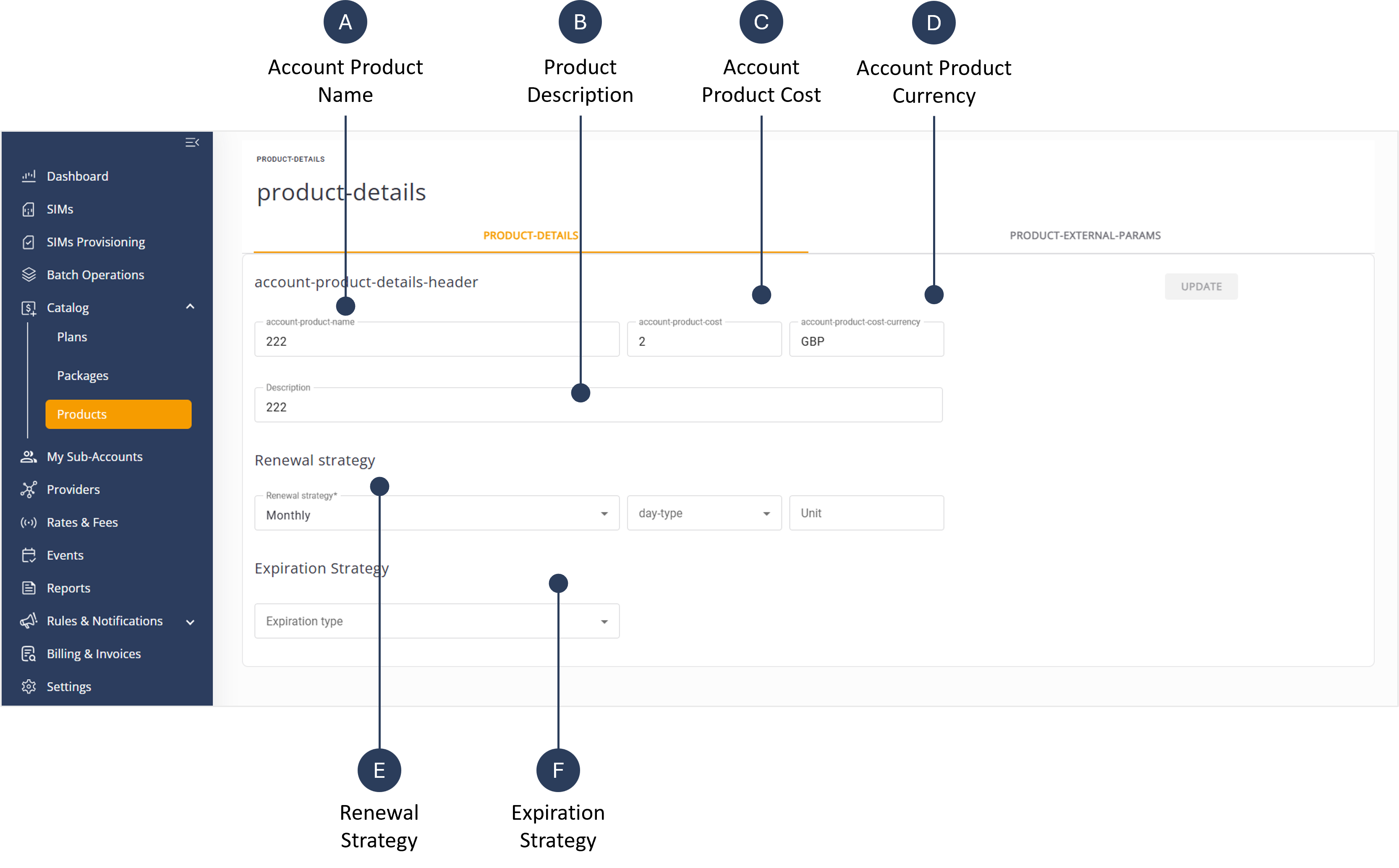
- Edit the Account Product Name* field.
- Edit the Description to provide information about this product.
- Modify the Account Product Cost value.
- Specify the Account Product Currency* from the list of options.
- Select a Renewal Strategy.
- Select an Expiration Strategy.
- Click Update to update the details in the product table.
NOTE: Any step marked with an asterisk (*) is mandatory and must be completed by selecting an appropriate option.
TIP: The Renewal and Expiration Strategy options are described in the Plan Management section.
A screen capture of the Configure Product page is shown here.